Gas Cooktop Ignition Port Cleaning Guide
Issue
- Gas ignition ports are dirty or clogged
- Gas cooktop not igniting
Applies to
- Gas Cooktop
- Gas Range
Solution
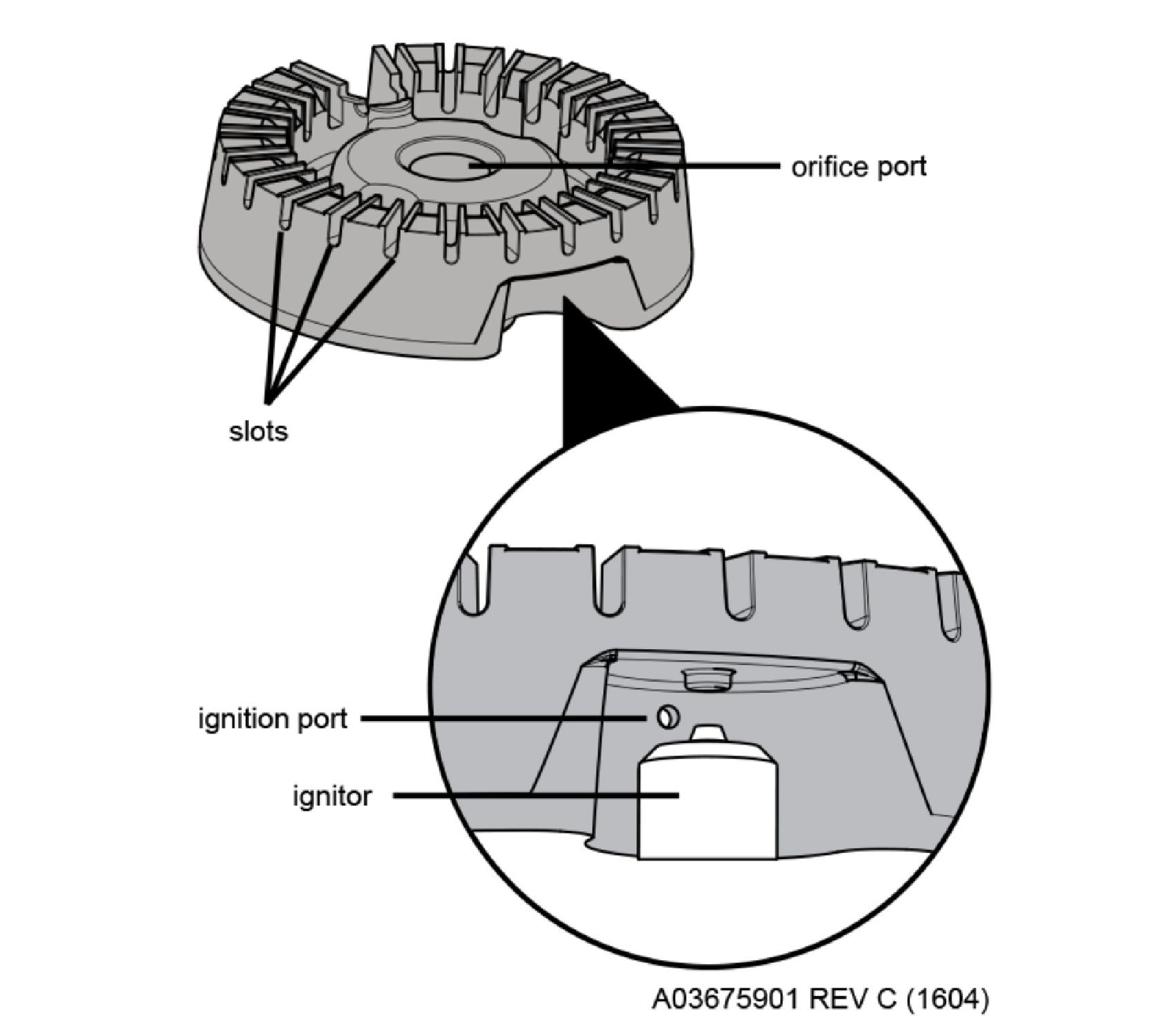
Cleaning Instructions:
- For burnt-on and dried spills, apply hot soap and water to the soiled areas. Allow time for the soil to soften before wiping clean. DO NOT use abrasive cleansers, oven cleaners, or steel wool on the cooktop around the burner head. These products can damage the cooktop finish.
- Use a soft bristle brush to clean all over the burner head. DO NOT use brushes on cooktops, it can damage the surface.
- Use a soft bristle brush to clean out all slots and holes on the burner head.
- Use a toothpick, paperclip, or ignition port cleaning brush to clear out any blockage from the ignition port
- Wipe clean with a soft, clean cloth or sponge, a scratch-free cleaning pad, or toothbrush
NOTE: Before using the cooktop again, make sure the burner caps are properly placed and seated on the burner heads
Was this article helpful?
Related Articles
- Ranges - What does the Lock feature do and how can I activate it?
- Ranges - Error Code Guide
- Ranges - How do I know what power level to use on my induction cooktop surface?
- Ranges - What is a Warmer Zone?
- Ranges - No Heating
- How do I use my display or controls?
- What does it mean if my display shows a – (dash)?
- Ranges - How can I clean my gas range/cooktop grates?
- Ranges - Can I "mute" the audible tones on my appliance?
- How To Get Started With Your Induction Cooktop
Related Articles
- Ranges - What does the Lock feature do and how can I activate it?
- Ranges - Error Code Guide
- Ranges - How do I know what power level to use on my induction cooktop surface?
- Ranges - What is a Warmer Zone?
- Ranges - No Heating
- How do I use my display or controls?
- What does it mean if my display shows a – (dash)?
- Ranges - How can I clean my gas range/cooktop grates?
- Ranges - Can I "mute" the audible tones on my appliance?
- How To Get Started With Your Induction Cooktop